Correct in every plane.
Plan in minutes.

Smart Fixator® pairs a robust circular hexapod with two web-based modules — preoperative planning & measurement, and hexapod prescription calculation — for surgeon-friendly deformity correction.
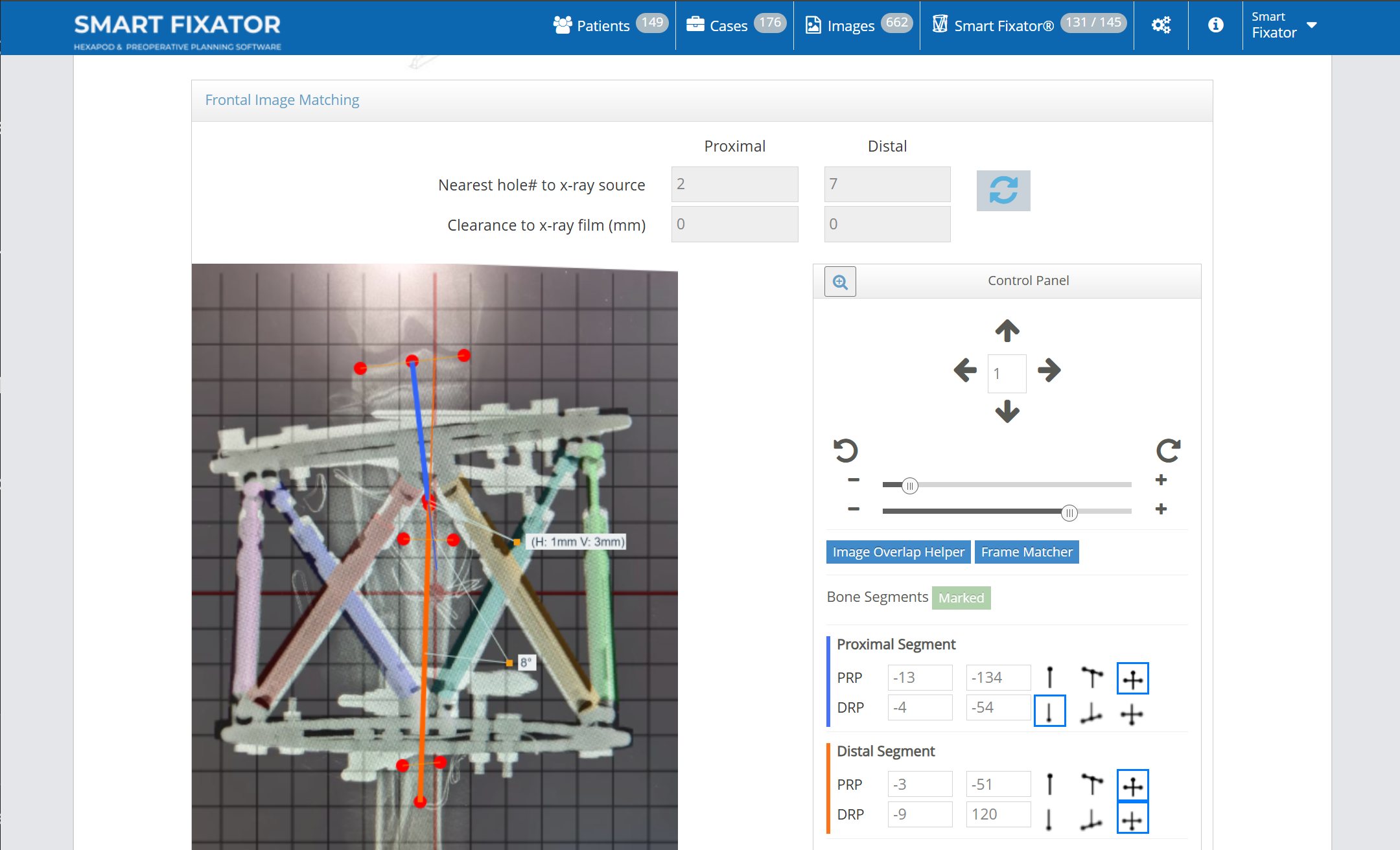
Smart Fixator software showing Frontal Image Matching, with the hexapod frame overlaid on a patient radiograph.
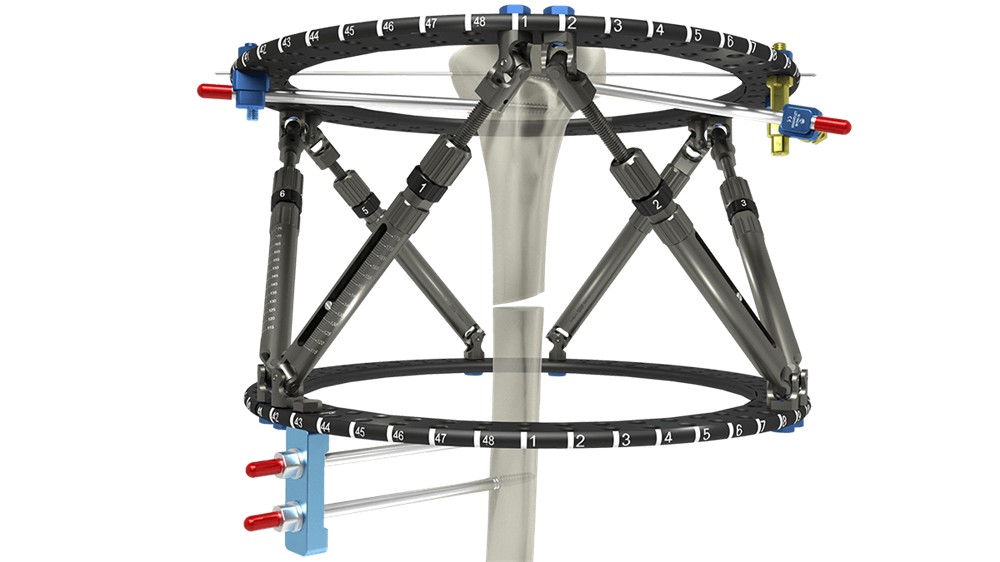
Smart Fixator hexapod frame around a bone, showing two carbon-fibre rings joined by six adjustable struts.

Precise, effortless,
proven.

A hexapod frame built on refined, traditional Ilizarov circular-fixation components — hexapod precision with the versatility of a circular fixator. Smart Fixator® turns two radiographs into an exact, all-plane correction, and a clear daily prescription for your patient.

Input 2 X-rays → full correction
Speed Accurate correction in minutes
No reference ring
No master tab
No mounting parameters
Free strut placement
Faster calculations
Less planning time

The right frame
for the right patient.

From a child's forearm to a large adult femur, the frame scales to the anatomy — three families, one workflow, one software. Fit is never a compromise.

Mini — paediatric & small-limb reconstruction
Midi — adolescent & average adult limbs
Maxi — large adults & femoral reconstruction
Web-based workflow CE-marked FDA-cleared Built by Response Ortho
The software

One platform, two modules.

Smart Fixator is two web-based tools that work together: plan and measure the case before surgery,
then calculate the exact prescription that drives the hexapod.

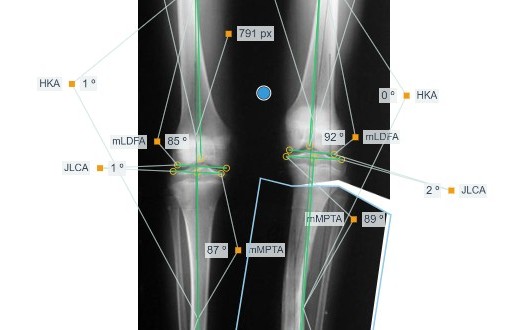
Preoperative Planning knee-measurement view: crossing mechanical-axis lines with mLDFA, mMPTA, JLCA and HKA angle annotations on both legs.

Preoperative Planning & Measurement

Before surgery

Measure the deformity on the radiograph and simulate the correction — cut the bone segments on the image and reposition them — to plan the case before you operate.

  • AI-assisted deformity measurement — angles, axes and lengths on the X-ray.
  • Simulate the correction — cut and reposition the bone segments on the image.
  • Plan the osteotomy and frame placement in advance.
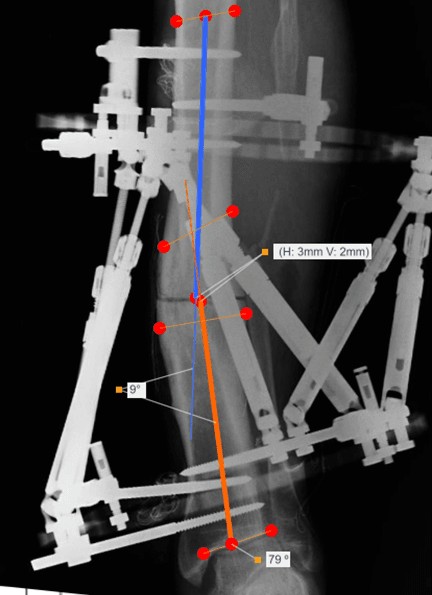
Radiograph from the Smart Fixator Prescription Calculation module, showing proximal and distal bone-axis overlays with translation and angulation annotations.

Prescription Calculation

For the hexapod

Advanced Radiographic Navigation turns two X-rays of the mounted frame into the full multi-plane correction and a day-by-day strut-adjustment prescription.

  • Correction in every plane — all six degrees of freedom.
  • Plain-language readouts — “3 mm lateral · 9° valgus”.
  • Automatic strut schedule for the patient to follow at home.
Prescription Calculation · workflow

Three steps, from frame to prescription.

How the Prescription Calculation module turns a mounted Smart Fixator hexapod into a correction — the same three steps for deformity, trauma and lengthening.

01 / MOUNT

Apply the frame, freely

Fix the rings where the bone needs them. No reference ring, no master tab, no mounting parameters to record.

02 / IMAGE & NAVIGATE

Capture, then calculate

Take standard AP and lateral X-rays of the frame and limb, then mark your references — Advanced Radiographic Navigation computes the full multi-plane correction in seconds.

03 / PRESCRIBE

Generate the schedule

Produce a clear day-by-day strut-adjustment prescription the patient follows at home until correction is complete.

Preoperative Planning & Measurement

Plan the correction, before you operate.

Everything the surgeon needs to measure a deformity and plan its correction, before the first incision.

  • Cloud storage — every case saved automatically, accessible from anywhere you sign in.
  • Calibration — radiographs calibrated to true scale before any measurement is taken.
  • Measuring — deformity angles, axes and lengths measured directly on the image.
  • Simulating correction — cut and reposition bone segments to simulate a fracture reduction or osteotomy.
  • Templating — template devices against the patient's own anatomy.

Templating reference shown in the video is provided by UniPlasty.

Get in touch

Talk to the Smart Fixator team.

Request access, discuss a clinical workflow or ask about distribution and training.

Tell us how we can help — we'll reply by email. Fields marked with an asterisk are required.

We use your details only to answer your message — see our Privacy Notice. Please do not include patient-identifying information.

Security verification

This form is protected by reCAPTCHA. Google’s Privacy Policy and Terms of Service apply.

Response Ortho Teknolojik Üretim A.Ş.

ITOSB, 10. Cadde, No:1,
Tuzla, Istanbul, 34959
Türkiye

Response Ortho Solutions LLC

1875 W Woolbright Rd
Boynton Beach FL 33426
United States

Questions

Answers before you get started.

Access, imaging, system requirements and support — in one place.

How do I get access to Smart Fixator?
Go to smartfixator.com and select Request access to complete the registration form. Preoperative Planning & Measurement is available as soon as you sign in; access to Prescription Calculation is validated separately, and you'll get an email once it's approved.
What if I don't receive the registration email?
Check your spam or junk folder for a message from info@smartfixator.com. If it isn't there, contact us and we'll check the status of your request.
How do I sign in?
Select Login in the site header and enter your username and password — you're taken straight into the application, no separate download required.
What if I forget my username or password?
You can sign in with your email address instead of your username. To reset your password, select Login, then "Forgot your password?", and enter the email address on your account — we'll send you a reset link.
Do I need to install any software?
No. Smart Fixator is fully web-based — sign in at smartfixator.com from any computer or tablet, in clinic, in theatre or at home. There is nothing to download, and your plans are always up to date.
What are the two modules, and how do they differ?
Preoperative Planning & Measurement is used before surgery — you measure the deformity on the radiograph and simulate the correction by cutting and repositioning the bone segments on the image. Prescription Calculation is used once the frame is on the patient — Advanced Radiographic Navigation computes the multi-plane correction and the day-by-day strut-adjustment prescription for the Smart Fixator hexapod. Two modules, one login.
What imaging does the navigation need?
Standard AP and lateral radiographs of the frame and limb. There is no reference ring, no master tab and no mounting parameters to record — the radiograph itself is the reference, and Advanced Radiographic Navigation does the rest.
What does the patient receive?
A clear, day-by-day strut-adjustment prescription they follow at home until the correction is complete — turning a complex multi-plane plan into simple daily instructions.
What are the system requirements?
Any modern laptop, desktop or tablet with a current browser — Chrome, Edge or Firefox on Windows and macOS, or Safari on macOS and iPadOS — and WebGL enabled. A minimum screen resolution of 1280×768, a stable internet connection and a mouse or touch display are all you need; no special hardware or plug-ins.
Is Smart Fixator regulated and approved?
Yes. It is CE-marked for the European market and FDA-cleared for the United States. The navigation is proprietary, validated software protected by copyright — not a generic calculator or spreadsheet.
How can I become a distributor?
Get in touch through the contact section above. Partners receive the complete portfolio, CE and FDA documentation for EU and US markets, plus surgeon training, marketing assets and clinical support.
How do I contact support?
Reach the Smart Fixator team through the contact section above, or email us directly for help with technical questions or your account.
Where can I find the user guide?
Once you're registered and signed in, the Instructions for Use section has the downloadable Software User Guide along with other reference material.

Sign in

Sign in with your Smart Fixator username or email address.

Request access

Create your Smart Fixator account. Fields marked with an asterisk are required.

They include our Privacy Notice, the Data Processing Agreement for patient data — accepted online on behalf of your institution, no signature needed — and information messages from Smart Fixator about the software and devices you use.